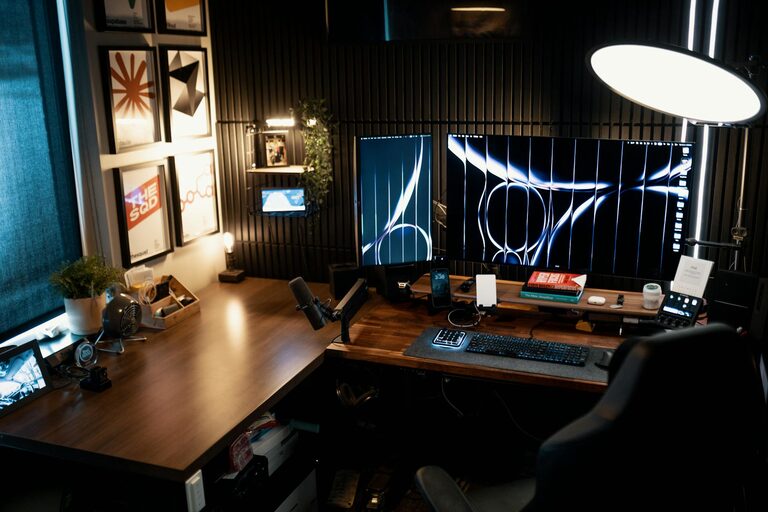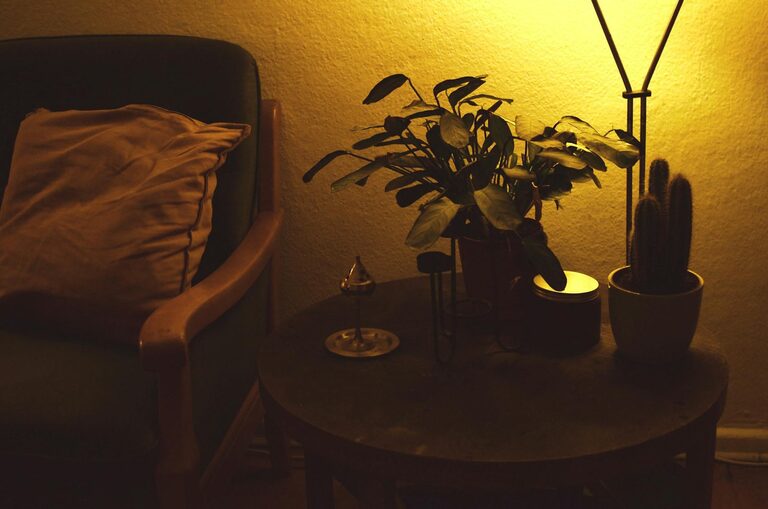

Creating a functional and clutter-free home workspace is essential for maintaining focus and productivity, especially as many people continue to work remotely. A well-organized workspace minimizes distractions and creates a comfortable environment that can inspire creativity and efficiency. Whether you have a dedicated office room or just a small corner in your living area, the following tips will help you set up a clutter-free, efficient workspace that suits your needs.
Why Organize Your Home Workspace?
An organized workspace affects not only how you work but also your mental well-being. Clutter can increase stress and reduce your ability to concentrate. Keeping your workspace tidy helps you find things quickly, improves time management, and creates a visually pleasant environment that motivates you throughout the workday.
Step 1: Choose the Right Location
Find a Quiet Corner
Select a spot in your home that has minimal distractions and good natural light if possible. Avoid high-traffic areas to reduce background noise and interruptions.
Consider Functionality
Think about what you need near you while you work. For instance, proximity to power outlets and internet connections is important for most office setups.
Step 2: Declutter and Prioritize Essentials
Clear Everything Out
Start with a clean slate by removing everything from your workspace. This allows you to assess what is necessary and what can be stored elsewhere or discarded.
Keep Only What You Use Daily
Limit your desk contents to items you use regularly, such as your computer, phone, planner, and a few essentials like pens or sticky notes.
Store the Rest
Find drawers, shelves, or storage bins for less frequently used items. Labeling these storage solutions can make retrieval quick and easy.
Step 3: Maximize Storage and Organization
Use Vertical Space
Wall-mounted shelves, pegboards, or hanging organizers can free up desk space and keep important items within arm’s reach.
Invest in Drawer Organizers
Compartments help keep small supplies like paper clips, USB drives, or notepads neatly arranged, preventing chaotic piles.
Utilize Cable Management Tools
Tangled cords add to visual clutter and can create frustration. Use cable clips, sleeves, or boxes to keep cords organized and out of sight.
Step 4: Create Zones for Different Activities
Designate a Computer Zone
Keep your computer or laptop center-stage with necessary peripherals like a keyboard, mouse, and monitor stand.
Have a Writing or Planning Area
If your work involves note-taking or drawing, keep a clear spot with easy access to notebooks, pens, and planners.
Incorporate a Relaxation Corner
Including a small space with a comfortable chair or cushion can offer a quick area to pause and recharge.
Step 5: Maintain Cleanliness and Order Daily
End Each Day With a Quick Tidy
Spend a few minutes before finishing your work to clear off your desk, return items to their designated spots, and file papers.
Regularly Review Your Setup
Every few weeks, evaluate your workspace and remove items that you no longer use or need.
Keep Cleaning Supplies Handy
Having wipes, dusters, and microfiber cloths readily available encourages frequent cleaning and reduces dust buildup.
Step 6: Personalize Without Cluttering
Add Inspirational Elements
Photos, small plants, or artwork can make your workspace feel inviting but keep decorations minimal to avoid distractions.
Choose Functional Accessories
Select items that are both useful and aesthetic, like attractive pen holders or a stylish calendar.
Additional Tips for Efficiency
– Use Task Lighting: A good desk lamp reduces eye strain and helps keep you focused.
– Ergonomics Matter: Invest in a comfortable chair and adjust your screen height to prevent discomfort.
– Digital Organization: Just as physical clutter impacts your focus, digital clutter can too — keep your desktop and email inbox organized.
– Time Management Tools: Use planners, timers, or apps to structure your workday and prioritize tasks.
—
By following these tips, you can transform your home workspace into an organized and efficient area that supports productivity and reduces stress. Remember, the key to maintaining a clutter-free workspace is consistency and regularly reassessing your needs. Happy organizing!